
SEO checklist for brand new websites
SEO checklist for brand new websites
An SEO checklist for new websites is the single most important document you can have when launching a brand new site. Without it, even a well-designed website can sit invisible on Google for months — not because of poor content, but because of avoidable technical and structural oversights.
Many UK businesses invest a significant amount in a new website and then treat SEO as something to sort out later. That approach is costly. Getting the foundations right from day one determines how quickly Google can find, crawl, index, and rank your pages.
This guide covers every critical step — from technical setup and on-page SEO for new websites to sitemap submission, blog strategy, and post-launch monitoring — so nothing is missed.
Why new websites struggle to rank on Google
Google cannot rank a website it cannot understand. When a brand new site goes live without the right foundations, search engines face barriers at every stage — crawling, indexing, and evaluation. The result is a site that may look great to visitors but is effectively invisible in search results.
The most common reasons new UK websites fail to rank quickly include:
- Search engines blocked by a misconfigured robots.txt file (the most damaging and most common launch error)
- No XML sitemap submitted to Google Search Console
- Missing or duplicate meta titles and descriptions across pages
- Slow page speeds that fail Core Web Vitals benchmarks
- No keyword strategy — pages built around what the business wants to say rather than what users search for
- No internal linking structure to help Google understand page hierarchy
A structured website launch SEO checklist prevents all of these problems. The sections below walk through each area in order of priority.
Related homepage: https://driveragentplus.com/
Technical SEO foundations before and at launch
Technical SEO for new websites is the bedrock that everything else depends on. If Google’s bots cannot access, crawl, and understand your site, no amount of content or backlinks will move the needle. These steps must be completed at or before launch — not weeks later.
Set up Google Search Console
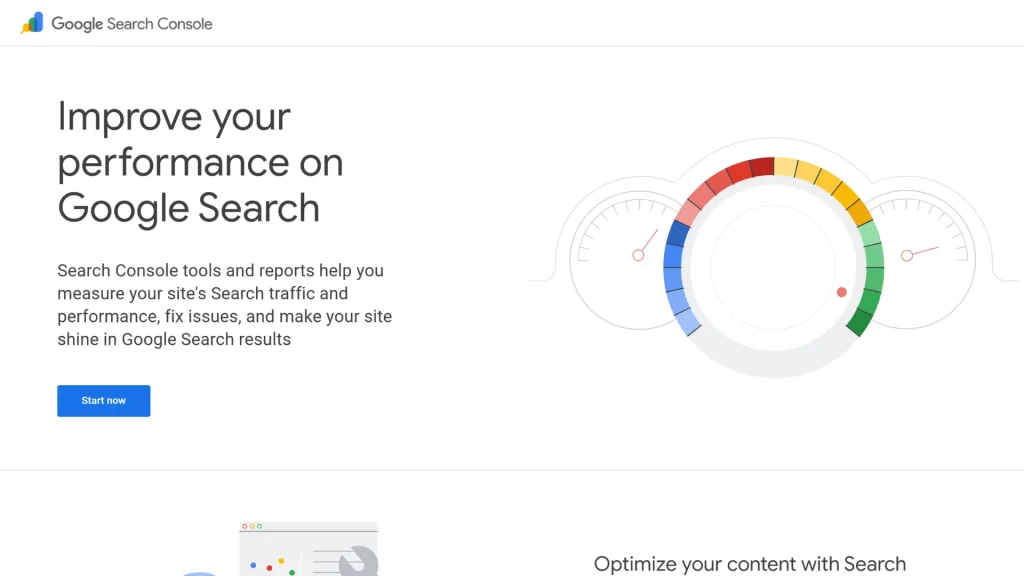
Google Search Console (GSC) is a free tool that acts as a direct line of communication between your website and Google. It tells you which pages are indexed, which search queries drive impressions and clicks, and whether any crawl errors are preventing your content from appearing in results.
To set it up, add a new property in GSC and verify ownership using the DNS record method — this covers all versions of your URL (http, https, www, non-www). Once verified, you’ll have a clear view of how Google sees your site. If you’re building a website that needs to perform from day one, understanding how web design and technical performance work together is equally important at this stage.
Install Google Analytics 4
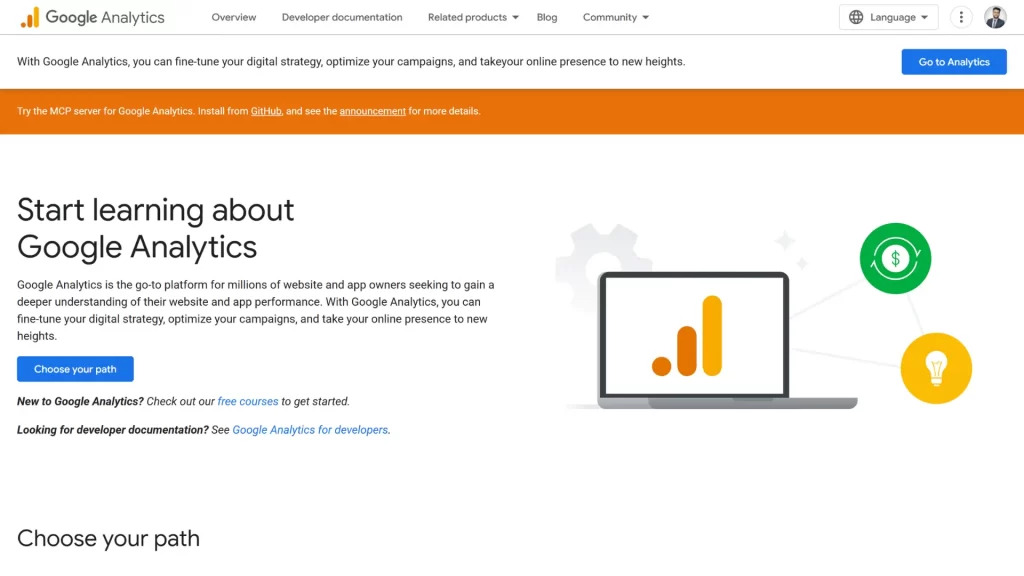
Google Analytics 4 (GA4) shows you what users do once they arrive on your site. Together with GSC, these two free tools give you the complete picture of your SEO and user experience performance.
Set up GA4 via Google Tag Manager for the most flexible configuration. Define your most important conversion events early — contact form submissions, phone clicks, purchases — so you can measure results from the first day of traffic.
Fix your robots.txt file before going live
This is consistently the single most damaging oversight in any website launch. During development, robots.txt files often contain a “Disallow: /” rule that blocks all search engine bots from crawling the site. This is correct on a staging server — and catastrophic if it reaches the live site.
Check your robots.txt at yourdomain.co.uk/robots.txt immediately after launch. If it blocks crawlers, your entire site will be de-indexed and organic traffic will drop to zero.
Confirm the file allows crawlers, references your sitemap, and only restricts areas that genuinely should not be indexed (such as admin paths).
Generate and submit your XML sitemap to Google
An XML sitemap gives Google a structured map of every page you want indexed. For WordPress sites, a plugin such as Yoast SEO will generate this automatically. Once created, submit the sitemap URL through Google Search Console under the Sitemaps report.
Include your core service pages, blog posts, portfolio entries, and important images. Exclude thin content, admin areas, and any pages that add no SEO value. After submission, check back within a few days to confirm the sitemap has been processed and no errors are reported.
Submitting your sitemap is not a one-time task. Each time you publish new blog content, add a service page, or restructure your site, verify that the sitemap reflects those changes and resubmit if needed.
Confirm HTTPS is active across all pages
HTTPS is both a trust signal and a confirmed Google ranking factor. Every page on your site — including images, scripts, and internal links — must load over HTTPS. Mixed content warnings, where some elements load over HTTP while the page itself is HTTPS, can suppress rankings and damage user trust.
Check your SSL certificate is valid and not expiring imminently. In the UK, most hosting providers include SSL certificates, but it is worth confirming the setup is correct, particularly if you have recently migrated or relaunched.
On-page SEO for new websites: every page must earn its place
On-page SEO for new websites covers everything you can control directly on each individual page — meta titles, descriptions, headings, URL structure, and content quality. These elements are among the first signals Google uses to determine what a page is about and how relevant it is to a given search query.
Keyword research before writing a single page
Every page on your site should exist to serve a specific search intent. Before writing content, identify what your target audience is actually searching for. Use free tools such as Google Keyword Planner or the “People also ask” section in Google results to find relevant, lower-competition search phrases.
For a brand new UK website, long-tail keywords (phrases of three words or more) are typically more achievable than broad, highly competitive terms. A local service business, for example, will find it far easier to rank for “web design agency Coventry” than for “web design UK”.
Write unique meta titles and descriptions for every page
Each page on your site must have a unique meta title and a unique meta description. These appear in Google’s search results and directly influence whether a user chooses your result over a competitor’s.
Meta title guidelines for UK websites:
- Length: 50–60 characters (under 580px rendered width)
- Must include the primary keyword for that page
- Should include a power word or clear value signal (e.g. “expert”, “trusted”, “proven”, “2026”)
Meta description guidelines:
- Length: 150–160 characters (under 920px)
- Include the primary keyword and one secondary keyword
- End with a soft call to action — what should the reader do next?
Structure URLs correctly from day one
URLs are permanent. Changing them after launch can damage whatever rankings you have already built — every URL change requires a 301 redirect to preserve link equity. Get the structure right before launch.
Use short, lowercase, hyphen-separated URLs that include the primary keyword for that page. Avoid parameters, dates, and unnecessary subfolders. A clean URL such as /services/web-design/ is clearer to both Google and users than /page?id=47&cat=12.
Heading hierarchy: one H1, structured H2s, supporting H3s
Every page should have exactly one H1 tag containing the primary keyword for that page. This is the clearest signal to Google about what the page covers. Below the H1, use H2 headings to organise major sections and H3 headings for sub-topics within those sections.
Never skip heading levels. Moving from H1 to H3 without an H2 confuses both crawlers and readers. Well-structured headings also increase the chance of your content being selected for featured snippets — the boxed answers that appear above standard search results.
Image optimisation: ALT text, file names, and compression
Every image on your site should be optimised before upload. Rename image files using descriptive, keyword-relevant names separated by hyphens (e.g. web-design-agency-london.webp). Add descriptive ALT text to every image — this improves accessibility and helps Google understand what the image shows.
Compress all images before uploading. Oversized images are one of the most common causes of slow page speeds, and slow pages rank lower. Use WebP format where possible; it delivers smaller file sizes without visible quality loss.
Submit to Google: sitemaps, blogs, and ongoing indexation
One of the most frequently overlooked parts of any website launch SEO checklist is understanding what actually needs to be submitted to Google — and when. Many site owners assume that going live is enough. It is not.
Submit your website to Google Search Console
After verifying your site in GSC and submitting your XML sitemap, use the URL Inspection tool to check the indexation status of your most important pages. For a brand new domain, Google may take several days or weeks to crawl and index pages — this is normal. However, if pages show “URL is not on Google” weeks after launch, there may be a deeper crawlability issue that needs investigating.
For each important page, you can request indexing directly through the URL Inspection tool. This signals to Google that the page is ready to be crawled. Do this for your homepage, main service pages, and any blog posts published at launch.
Set up a blog and publish consistently
A blog is one of the most powerful long-term SEO assets for a new website. Fresh, well-structured content gives Google more pages to index, more keywords to associate with your site, and clearer signals of topical authority. Sites that publish consistently tend to grow their search visibility significantly faster than static sites.
Each blog post should target a specific keyword cluster, include internal links to relevant service pages, and be structured with clear headings and a logical flow. As an example of how this works in practice, our article on mobile-first web design for UK businesses demonstrates how well-structured blog content supports both search visibility and user experience.
When you publish a new blog post, resubmit your sitemap in GSC and use the URL Inspection tool to request indexing for the new URL. Do not wait for Google to find it passively.
Register with Bing Webmaster Tools
While Google dominates UK search, Bing accounts for a meaningful share of traffic — particularly from older demographics and users on Windows devices. Registering with Bing Webmaster Tools and submitting your sitemap there costs nothing and ensures your site is indexed across both major search engines.
Site speed, Core Web Vitals, and mobile performance
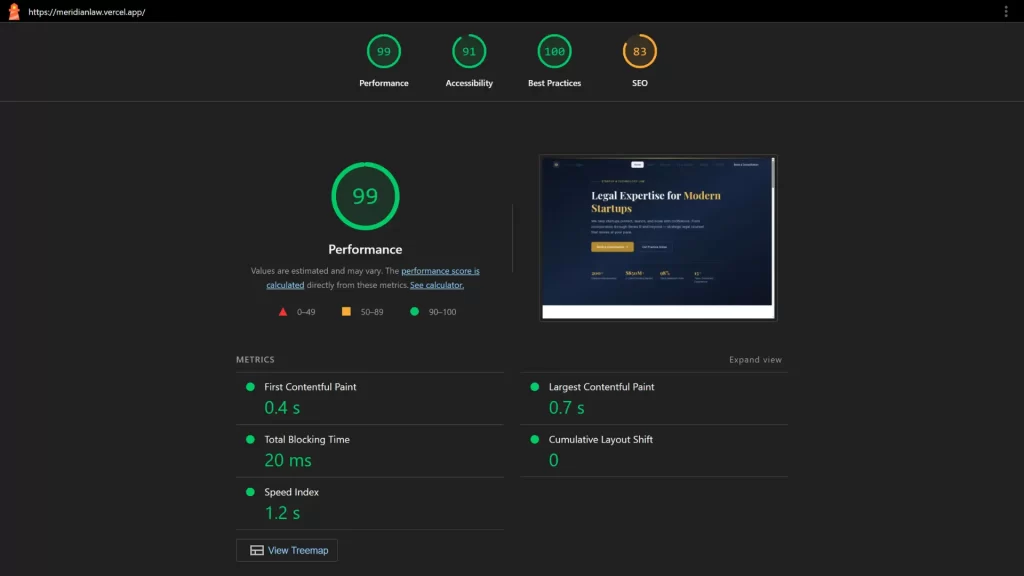
Google uses Core Web Vitals as direct ranking signals. These are a set of measurable performance metrics that reflect the real-world experience of users loading your pages. For any website launch SEO checklist, addressing speed and mobile usability is non-negotiable.
The three Core Web Vitals to focus on are:
- Largest Contentful Paint (LCP) — how quickly the main content loads. Target: under 2.5 seconds
- Cumulative Layout Shift (CLS) — how much the page layout shifts unexpectedly. Target: under 0.1
- Interaction to Next Paint (INP) — how quickly the page responds to user input. Target: under 200ms
Test your site through Google PageSpeed Insights immediately after launch. Fix the highest-impact issues first — typically image compression, render-blocking scripts, and server response times. Hosting quality matters significantly; UK businesses using slow shared hosting will often see Core Web Vitals failures that directly suppress rankings.
Mobile performance is particularly critical. Google uses mobile-first indexing, meaning it evaluates your mobile experience when determining rankings. Our detailed guide on why mobile-first web design matters for UK businesses explains exactly why building for mobile from the outset leads to better search performance and higher conversion rates.
Internal linking: building structure and passing authority
Internal links do two things simultaneously: they help Google understand the relationship between pages on your site, and they direct users to content that is relevant to what they are already reading. For a brand new website, a deliberate internal linking strategy is one of the fastest ways to improve crawlability and topical authority.
Every blog post should link to at least two or three other pages — ideally a core service page and one or two related articles. Use descriptive anchor text that reflects what the linked page is actually about. Avoid generic phrases like “read more” or “find out here”.
For UK businesses that offer web design alongside other digital services, linking contextually between related content builds what Google sees as topical depth. A page discussing SEO setup, for example, is a natural place to reference how professional web design supports performance and conversion — the connection is genuine and adds value for the reader.
What does SEO setup actually cost for new UK websites?
For businesses launching a new UK website, understanding where to invest in SEO — and what that investment looks like — helps set realistic expectations. Costs vary considerably depending on whether you use tools, agencies, or freelancers.
Here is a practical comparison of typical UK SEO costs in 2026:
| SEO activity | DIY / free | Freelancer | Agency (UK) |
|---|---|---|---|
| Technical audit | Free (GSC + tools) | £150–£400 | £500–£1,500 |
| On-page optimisation | Free (time cost) | £50–£100/page | £75–£150/page |
| Content / blog post | Free (time cost) | £80–£250/post | £150–£500/post |
| Monthly SEO retainer | N/A | £300–£800/mo | £800–£3,000/mo |
| XML sitemap setup | Free (plugin) | Included | Included |
| GSC + GA4 setup | Free | £50–£150 | Included in retainer |
These figures reflect typical UK market rates as of 2026. A well-structured new website with clean technical SEO, consistent blog content, and proper Google Search Console setup can begin ranking meaningfully within three to six months — provided the keyword targeting is realistic and the content quality is high.
For small UK businesses, starting with the free tools (GSC, GA4, Yoast SEO) and investing in one or two well-written blog posts per month is often more effective than large upfront agency spend without a clear strategy.
Schema markup and structured data for UK websites
Schema markup is code added to your pages that tells Google what type of content it is looking at. It transforms standard text into structured, categorised data that search engines can use to generate rich results — star ratings, FAQ dropdowns, opening hours, and more.
For a brand new website, implementing at least the following schema types from launch is recommended:
- Organisation schema — your business name, logo, address, and social profiles
- LocalBusiness schema — if you serve a specific UK region, include your address, phone number, and opening hours
- BlogPosting schema — applied to every blog article you publish
- FAQPage schema — for any page that answers common questions
Use Google’s Rich Results Test tool to validate your markup before going live. Errors in schema markup can prevent your pages from qualifying for enhanced search results, so testing is essential.
Post-launch SEO monitoring: your first 30 days
Launching a new website is the start of your SEO journey, not the finish line. The first 30 days after launch are critical for catching errors early, monitoring indexation, and confirming that everything configured before launch is working as expected.
Your post-launch SEO checklist should include:
- Check GSC’s Coverage report for any indexing errors or warnings within the first 72 hours
- Verify that all core pages (homepage, service pages, contact) are indexed correctly
- Run a full crawl of the live site using a tool such as Screaming Frog to catch any 404 errors, redirect chains, or missing meta data
- Confirm that Google Analytics 4 is receiving data and conversion events are tracking correctly
- Check Core Web Vitals scores in GSC’s Experience report after the first week of live traffic
- Monitor keyword rankings after three to four weeks using a rank tracking tool
Do not make major structural changes — such as renaming URLs or restructuring navigation — within the first 30 days unless you have identified a critical error. Give Google time to crawl and establish its understanding of your site before introducing significant changes.
Frequently asked questions about SEO for new websites
How long does it take for a new website to rank on Google?
For a brand new domain with no existing authority, expect three to six months before meaningful rankings appear for well-targeted keywords. Low-competition, long-tail keywords can rank faster — sometimes within four to eight weeks — if the page is well-optimised and the site is indexed promptly.
Do I need to submit my website to Google manually?
You do not have to, but you should. Submitting your XML sitemap through Google Search Console and requesting indexing for your key pages via the URL Inspection tool significantly speeds up the crawl and indexation process. Waiting for Google to discover your site passively can add weeks of delay.
Is Google Search Console free?
Yes. Google Search Console, Google Analytics 4, and Google’s PageSpeed Insights tool are all completely free. For most new UK websites, these three tools provide everything needed to manage SEO effectively in the first year of operation.
How many blog posts should a new website publish?
For a new site, publishing one to two high-quality, well-optimised blog posts per month is more effective than publishing multiple thin or poorly researched articles. Quality and keyword relevance matter far more than volume. Each post should target a specific search query, be at least 800 words, and link to relevant pages on your site.
What is the biggest SEO mistake to avoid at launch?
Leaving a “Disallow: /” rule in your robots.txt file. This single oversight will prevent Google from indexing your entire site and can result in zero organic traffic for weeks or months. Always check your robots.txt immediately after launch and again after any hosting or CMS migration.
Getting your new website right from day one
A complete SEO checklist for new websites is not just a technical to-do list — it is the difference between a site that grows steadily in search and one that sits invisible for months after launch. The foundations covered in this guide — technical setup, on-page SEO for new websites, sitemap submission, blog strategy, Core Web Vitals, and ongoing monitoring — work together as a system.
No single element is enough on its own. A fast website with no keyword strategy will not rank. A well-written blog with broken indexation will not be found. A properly submitted sitemap with slow page speeds will underperform. It is the combination, applied consistently, that produces results.
For UK businesses building or relaunching a website in 2026, following this website launch SEO checklist from the outset removes the most common and most damaging mistakes. The investment of time in getting these details right at launch will compound over months and years in the form of consistent, cost-effective organic traffic.
For further reading on how Google evaluates and ranks new websites, Google’s own Google Search Console documentation is the most authoritative and up-to-date resource available.
Is your new website optimized for Google, or is it invisible?
An SEO checklist is the difference between a site that grows steadily and one that sits invisible for months. Many businesses treat SEO as something to sort out later, but getting technical foundations like indexation, sitemap submission, and Core Web Vitals right from day one is critical for long-term organic traffic.
We help businesses implement robust SEO strategies from launch—fixing technical oversights, optimizing on-page elements, and ensuring your site is built to be found, crawled, and ranked by Google.