
WhatsApp business automation: how to turn enquiries into customers instantly
WhatsApp business automation: how to turn enquiries into customers instantly
WhatsApp business automation gives your business a faster, more organised way to respond when a potential customer gets in touch. Instead of leaving a new enquiry in an inbox, it can start a useful conversation immediately, collect the right details and guide the person towards the next step.
That does not mean replacing every salesperson with a bot. The best systems automate the repetitive parts of an enquiry while making it easy for a human to take over when judgement, reassurance or negotiation is needed.
For UK businesses, the result can be a smoother customer journey from first message to quote, appointment, payment or sale. This guide explains how WhatsApp lead generation works, what to automate and how to avoid creating a robotic experience.
Why slow enquiry handling loses potential customers
A new enquiry is usually strongest at the moment it is sent. The customer has a problem, a question or an active buying intention. When the response takes hours, that attention moves elsewhere and another supplier may answer first.
The problem is often not a lack of leads. It is the gap between the website form, social advert or incoming message and the first meaningful reply. Manual processes create delays because staff must notice the enquiry, copy information into another system, decide who owns it and remember to follow up.
WhatsApp lead generation shortens that gap. The customer receives an immediate acknowledgement, while the business captures the conversation in a structured workflow rather than relying on somebody to monitor a shared phone.
What WhatsApp business automation actually does
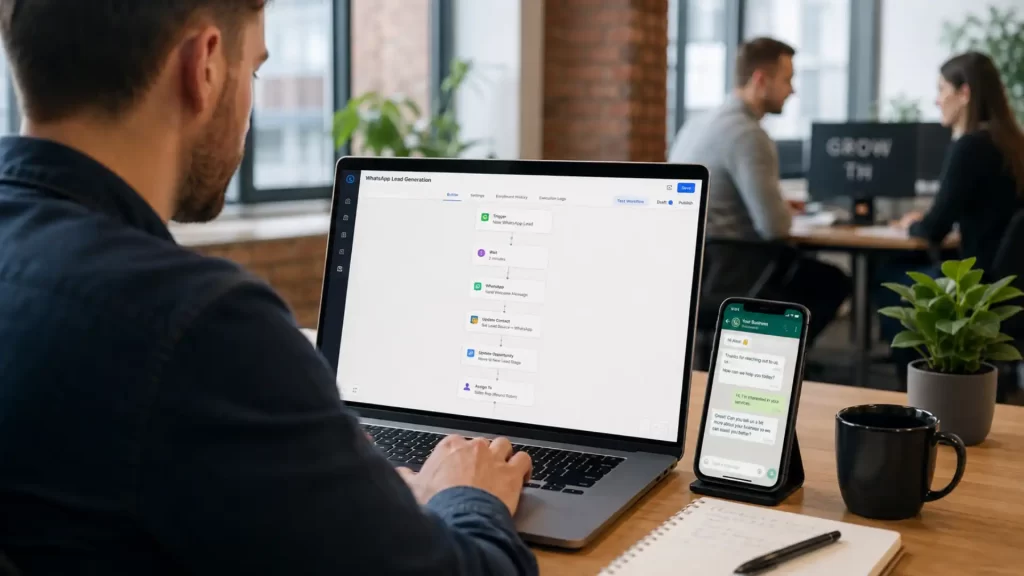
WhatsApp business automation connects messages with the systems and actions behind your sales process. A message can trigger a reply, create a lead, update a CRM record, alert a team member or schedule a follow-up without repeated data entry.
A practical setup may handle several tasks:
- welcome new enquiries and confirm that the message has been received;
- ask a short set of questions about needs, budget, location or timescale;
- share relevant information such as prices, service options, brochures or booking links;
- send qualified enquiries to the right person or team;
- record answers and conversation status in a CRM;
- send useful reminders when a customer has not completed the next step.
These automated WhatsApp messages should move the conversation forward. A reply that simply says “we will contact you soon” may reassure the customer, but it does not qualify the opportunity or make the next action easier.
Webphoria builds WhatsApp integrations that connect conversations with lead capture, follow-ups and wider business systems.
How an instant enquiry-to-customer workflow operates
The exact journey depends on the business, but a well-designed flow normally follows the same sequence. Each stage removes friction while preserving a clear route to a real person.
1. The customer starts the conversation
The enquiry may begin through a WhatsApp button on the website, a click-to-message advert, a QR code, a product page or the business number itself. The entry point should carry useful context, such as the service or campaign that attracted the customer.
2. An immediate reply confirms the next step
A short greeting confirms that the message has arrived and explains what will happen next. It should identify the business, avoid pretending to be a human and give the customer a simple choice or question.
For example: “Thanks for contacting Northside Kitchens. Are you looking for a full kitchen renovation, replacement doors or a design consultation?” This is more helpful than a long menu or a generic delay notice.
3. The flow qualifies the enquiry
The automation asks only for information that changes the next action. A service company might ask for postcode, project type and preferred date. An online retailer might ask for the product, order number or delivery issue.
Keep this stage short. WhatsApp lead generation works best when the conversation feels easy. Asking ten questions before offering value can create a new form of friction.
4. The customer receives a useful response
Based on the answers, the system can share suitable services, an estimated price range, available appointments, a quotation form or a secure payment link. Personalised automated WhatsApp messages are more effective because they reflect what the customer has already said.
5. High-intent leads move to a human
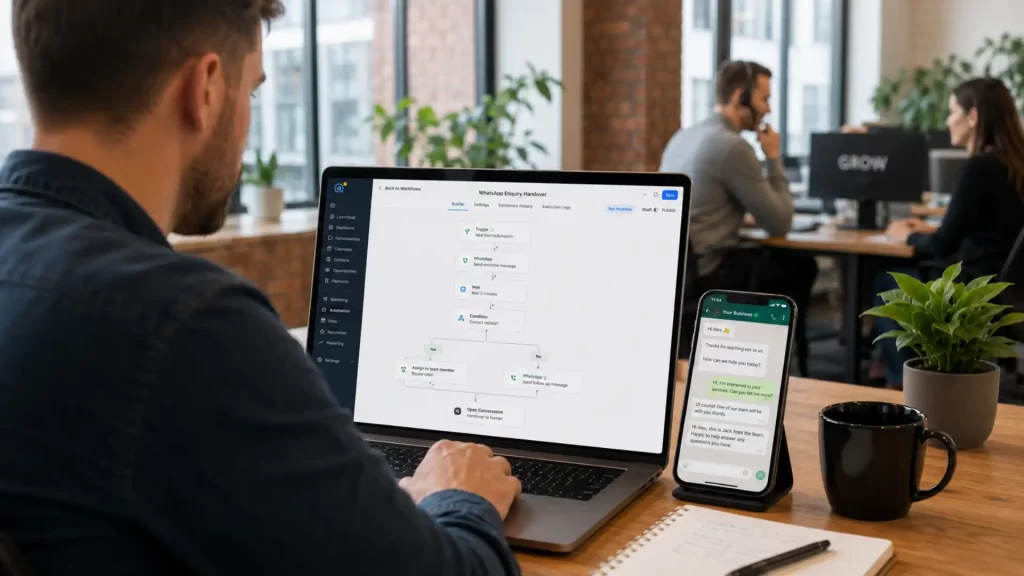
When the person requests a quotation, has a complex question or meets the business’s qualification rules, the conversation should be assigned to a team member. The agent needs the answers already collected so the customer is not forced to repeat everything.
6. The CRM controls follow-up
The system creates or updates the lead record, stores the source and sets the next action. If the customer does not book or reply, a relevant follow-up can be sent at the right time. When the customer converts, the workflow can stop sales reminders and begin confirmation or onboarding messages.
Connecting the conversation to CRM systems and automated workflows gives the team one reliable view of each lead and its next step.
Which automated WhatsApp messages support conversion?
Automation is most useful when it responds to a real customer action or a clear stage in the journey. It should not become a reason to send more messages than the customer expects.
Useful message types include:
- instant enquiry acknowledgements with a clear question;
- qualification prompts that collect only essential details;
- quote, consultation or appointment booking links;
- abandoned enquiry reminders when a person started but did not finish;
- appointment, delivery and payment reminders;
- post-purchase instructions, onboarding and feedback requests.
The message should always make the next action obvious. One useful button or question is normally better than several competing links. The tone should also match the brand, whether the business is a local trades company, professional service, clinic, retailer or national organisation.
WhatsApp Business App or WhatsApp Business Platform?
Small businesses can begin with the WhatsApp Business App. It provides a business profile and basic tools such as greeting messages, away messages, labels and saved quick replies. This can reduce repetitive typing, but it still depends heavily on manual handling.
More advanced WhatsApp business automation normally uses the WhatsApp Business Platform and a suitable integration. This makes it possible to connect messaging with forms, CRM records, booking systems, e-commerce events, team inboxes and custom workflows.
The right option depends on message volume, team size, the complexity of the sales journey and the systems already in use. A single operator answering a small number of messages may not need a complex build. A growing team handling leads from several campaigns usually needs shared ownership, tracking and reporting.
How to make automation feel personal rather than robotic
Customers do not object to useful automation. They object to irrelevant replies, confusing loops and systems that prevent them from speaking to somebody. Good design makes the automation clear, brief and easy to escape.
Start with the words customers already use. Review real enquiries and identify the most common questions, decisions and objections. Then write automated WhatsApp messages that sound natural and answer those needs directly.
Personalisation should go beyond inserting a first name. Use known details such as the requested service, product, location, appointment or order stage. At the same time, avoid using personal data merely because it is available.
Every flow needs a visible human handover. Phrases such as “speak to the team”, “I have another question” or simply typing a free-text message should move the conversation out of a rigid menu when necessary.
For more complex conversations, AI chatbot development can combine structured automation with sensible escalation to your team.
Consent, privacy and responsible WhatsApp automation
A fast sales process still needs to respect customer choice. Businesses should explain how a mobile number will be used, keep an appropriate record of permission and make it easy for people to stop marketing messages.
Service replies to an active enquiry are different from promotional broadcasts. Before building marketing sequences, check how PECR and UK GDPR apply to the audience, the relationship and the message. The Information Commissioner’s Office provides official guidance on electronic marketing and consent.
For official guidance, read the ICO electronic and telephone marketing guidance.
A responsible setup should include:
- clear wording at the point where the customer shares or confirms their number;
- approved message templates where the platform or message type requires them;
- a simple opt-out method that is acted on promptly;
- access controls and careful handling of customer information;
- a defined human escalation route for sensitive or complex issues;
- regular reviews of message quality, complaints and delivery performance.
Compliance should be designed into the workflow rather than added after launch. It protects the customer relationship and prevents a useful channel from becoming intrusive.
Where WhatsApp lead generation works well
The same core workflow can support different sectors, provided the questions and next actions are designed around the real buying process.
Service businesses and local trades
A new enquiry can provide postcode, service type, photos and preferred availability. The system can route urgent jobs, offer a survey booking and place the lead into the correct pipeline before an estimator takes over.
Professional services
A firm can collect the broad matter type, location and preferred consultation time without requesting sensitive detail in an unsuitable automated flow. Qualified enquiries can then be assigned securely to the appropriate team.
E-commerce and retail
Automated WhatsApp messages can provide product guidance, order confirmations, delivery updates and carefully timed cart reminders. Customer replies should update the service record rather than disappearing inside a separate messaging inbox.
Appointments and bookings
Clinics, salons, consultants and hospitality businesses can offer available slots, confirm bookings and send reminders. Rescheduling should be as simple as replying or selecting an option, with exceptions routed to a person.
Common WhatsApp business automation mistakes
The biggest mistake is automating a poor process. If nobody knows which leads are valuable, who should own them or what the next step should be, adding a chatbot only makes the confusion faster.
Other problems include asking too many questions, sending generic promotional messages, hiding the human handover and failing to connect replies with the CRM. Businesses also lose trust when an automated message promises an immediate human response that the team cannot deliver.
Another mistake is measuring message volume instead of business results. A busy inbox is not the goal. The workflow should help more suitable enquiries reach a useful outcome with less delay and less manual administration.
How to measure whether the workflow is converting
Before launch, record the current response time, contact rate, qualification rate and enquiry-to-sale conversion. This creates a baseline for judging whether WhatsApp lead generation is improving the journey rather than simply moving conversations to another channel.
Useful measures include first-response time, the percentage of enquiries that complete qualification, bookings created, human handover time, follow-up response, conversion by lead source and opt-out or complaint rates.
Review conversation transcripts as well as numbers. They show where customers become confused, which questions are unnecessary and when a human should enter sooner. Small changes to wording or routing can improve the entire flow.
A practical launch checklist
A reliable system starts with the customer journey, not the software. Use this sequence to plan the first version:
- Map how enquiries arrive and where delays or lost information occur.
- Choose one high-value journey, such as quote requests or appointment bookings.
- Define the minimum questions needed to select the right next action.
- Write short messages in the same tone your team uses with customers.
- Connect the flow to the CRM, ownership rules and human notifications.
- Test normal journeys, unusual answers, opt-outs and human handovers.
- Launch to a controlled audience, measure results and improve the weak points.
Starting with one focused workflow is usually better than trying to automate every conversation at once. Once the process is reliable, the same structure can support additional services, campaigns and customer stages.
Turn more WhatsApp enquiries into customers
A successful system replies quickly, collects useful information and gives your team a clear next action. Webphoria can design the messaging, CRM connection and automation around the way your business actually sells.